
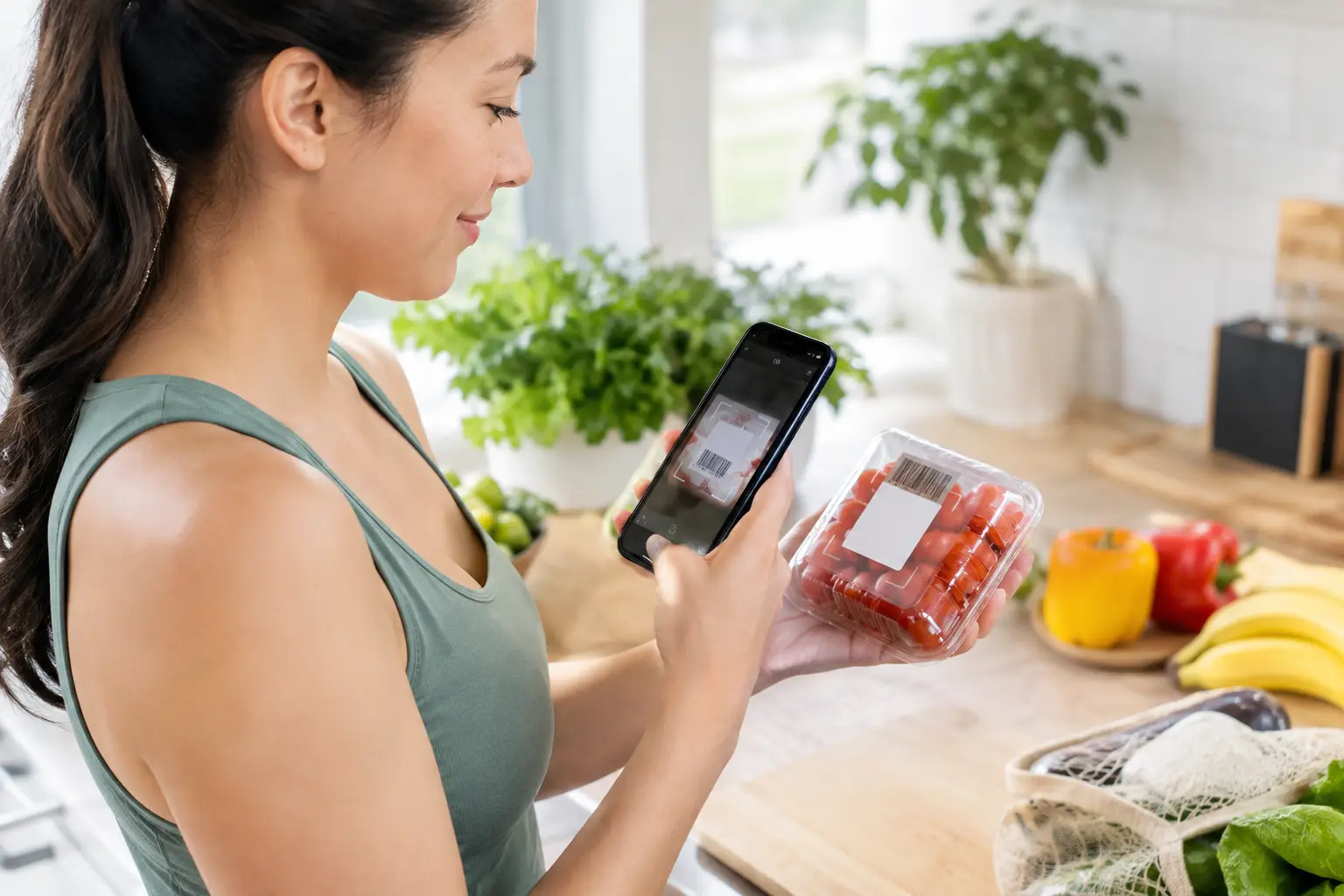
A food barcode scanner is most useful at the moment food tracking would otherwise become a chore. You are unpacking groceries, finishing a rushed lunch, or trying to remember what went into a snack. Scanning the package gets a starting point into your log in seconds.
That does not make food tracking perfect. It makes it easier to return to.
For many people, the friction is not knowing what to eat. It is having to search, estimate, and second-guess every packaged item after a long day. A scanner reduces those small decisions so you can spend less energy documenting food and more energy noticing your actual patterns.
What a food barcode scanner does
A barcode scanner reads the UPC or EAN code printed on packaged food. Your app matches that code with a food database and fills in details such as the product name, serving size, and nutrition information. You can then adjust the amount to reflect what you ate.
This works especially well for foods with a clear package and label: yogurt, cereal, bread, frozen meals, canned goods, protein bars, sauces, and drinks. It is a practical shortcut, not a test of whether you logged perfectly.
The best use of a food barcode scanner is simple: scan what is easy to scan, make a quick check, and move on. If dinner is homemade or a package is not available, use a reasonable search entry or a simple estimate. One imperfect entry does not erase the value of seeing the rest of your week.
Why scanning can make tracking feel more sustainable
Manual food logging asks for attention at exactly the times many people have the least of it. Parents are packing lunches. Professionals are eating between meetings. Caregivers may be grabbing whatever is available. Searching a database for every item can turn a useful habit into one more job.
Scanning removes a few steps. That matters.
It can also make packaged foods easier to understand without labeling them as good or bad. The entry gives you the label information in the context of your day. Maybe a certain breakfast keeps you full through the morning. Maybe a convenience meal is helping you get through a busy week. Maybe the serving size on a snack is different from what you assumed. Those are observations, not verdicts.
When nutrition tracking supports real life, it should leave room for both structure and flexibility. Some days you will log most meals. Other days you may only log dinner or scan a few groceries you eat often. Both can still help you build awareness.
Check the entry before you save it
Barcode databases are helpful, but they are not flawless. Brands change recipes, package sizes, and serving information. A product with a nearly identical name may have a different flavor, size, or version. A quick check protects you from carrying a wrong entry forward.
Look at the product name first. Then compare the serving size and the key nutrition details against the package in your hand. If the entry says one serving is 30 grams but you had two servings, adjust the quantity before saving. If the label and app do not match, the package label is the better reference.
This check usually takes a few seconds. It is not about chasing precision down to the last gram. It is about avoiding the obvious mismatches that can make your log less useful over time.
Common scanner issues that are normal
Sometimes the scanner cannot find an item. That often happens with a new product, a store-brand item, a multipack barcode, or a barcode from outside the United States. It can also happen when glare, a curved package, or a torn label makes the code hard to read.
Try scanning in better light and hold the code flat in the camera frame. If it still does not appear, search by the product name and compare the label. For a food you buy regularly, saving a reliable entry can make the next time quicker.
A result that looks wrong is also normal. Do not force it because it was the first match. Search for the correct version, enter the label details if your app allows it, or use a close alternative for that day. The goal is a log you can use, not a database cleanup project.
Use scanning where it saves the most effort
You do not need to scan every item you own in one sitting. That approach tends to create pressure, then disappear after a few days. Start with the foods that show up often or that are hardest to remember later.
Breakfast staples are a good place to begin because they are often repeated. The same goes for work snacks, drinks, frozen lunches, and the grocery items you reach for when time is short. Once those are easy to log, the habit has less friction built into it.
It also helps to scan close to the time you eat. A package on the counter is easier to log than a half-remembered afternoon snack at 10 p.m. If you miss it, you can still add it later. There is no need to turn a late entry into evidence that the day went off track.
In Corely, barcode scanning can sit alongside meals entered by search or by macros, so packaged foods do not require a separate process from the rest of your food log. That matters when your meals are a mix of grocery staples, takeout, and food cooked at home.
Barcode scanning is not for every food
A scanner has clear limits. Fresh produce usually does not have a standard retail barcode that maps cleanly to a nutrition entry. Restaurant meals, recipes, and shared family dinners also need another approach. In those cases, a search entry, a saved meal, or a straightforward estimate is often enough.
The same is true for bulk-bin foods and foods decanted into containers. You do not need to recreate a label you no longer have. Use what you know, choose a reasonable match, and keep the log moving.
There is a trade-off here. More detail can feel useful, but it also takes more time. If detailed logging starts making meals feel tense or overly complicated, scale it back. You might scan packaged staples and leave homemade meals broader. You might log on weekdays and use weekends as a looser check-in. The right level is the one you can continue without resentment.
Make the data useful after you scan
Scanning is only the first step. The value comes from looking back with some curiosity.
Over a week or two, you may notice that certain days are harder to log because your schedule changes. You may see that a few repeat foods make planning easier. You may realize that you eat differently on training days, travel days, or evenings when everyone else needs something from you. None of that requires a dramatic correction.
Instead, pick one small adjustment that reduces effort. Keep a repeat breakfast easy to log. Save a frequent snack. Put a package aside until you have scanned it. Make a note of a meal that worked well on a rushed day. Small systems beat starting over.
Avoid using the scanner as a way to police every choice. Food logs are most helpful when they give you information you can act on with self-respect. If a meal was more convenience than planned, log it if you can, then continue with the next meal. If you skipped logging, return when you remember. No catch-up punishment is required.
A calmer way to keep the habit
The best food barcode scanner is not the one that produces the most detailed record. It is the one that helps you make a useful record without asking too much from you.
Keep the package nearby. Scan the foods that repeat. Check that the serving size makes sense. Let the unscannable meals be simple. Then look for one pattern worth carrying into tomorrow.
A food log does not need to be complete to be helpful. It just needs to be easy enough that you are willing to come back to it.