
Progress & Trends
Progress should tell users what is changing and why. Corely separates workout, nutrition, and fasting views so the story is easier to read than one blended dashboard.
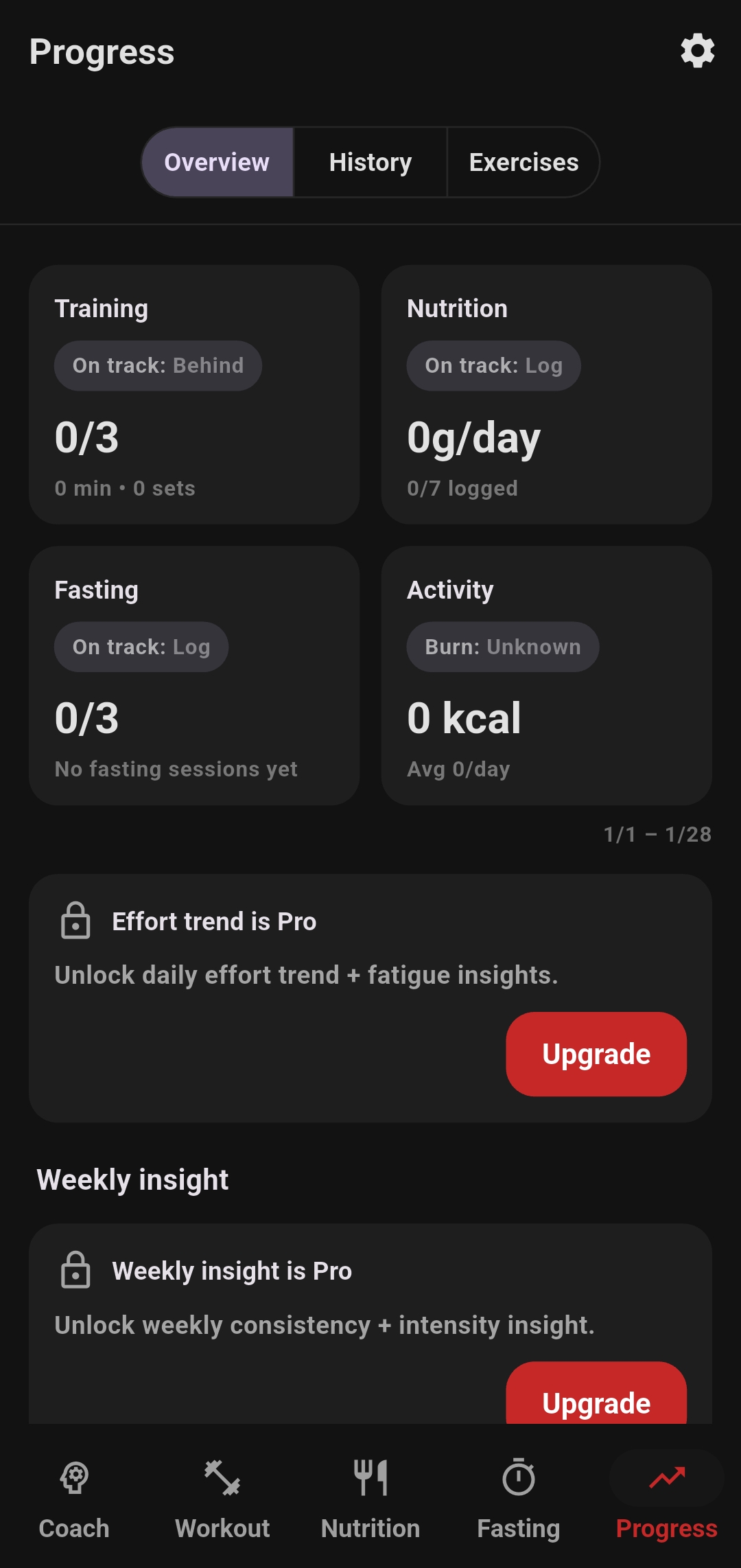
What each progress area means
This page exists so users can understand the value behind the charts, not just stare at lines and numbers.
Weekly effort
Weekly effort is a way to summarize how much training demand a user is actually accumulating. It helps answer whether they are training enough, staying steady, or pushing too hard.
Training trends
Training trends help users see whether strength, session quality, or consistency are moving in the right direction over time.
Nutrition trends
Nutrition trends make it easier to compare intake behavior with the plan and check whether calorie and macro habits are staying aligned.
Fasting trends
Fasting trends show whether the user is building a stable routine and how their timing behavior changes over time.
Why weekly effort matters
- It gives users a simple way to judge training load at the week level
- It helps explain progress that might not show up from a single workout
- It can highlight inconsistency, stagnation, or overload more clearly than isolated sessions
Why split the trends apart
- Training, nutrition, and fasting each answer different questions
- Users can go directly to the behavior they want to improve
- The system becomes easier to understand when each trend has its own purpose
Read Weekly Effort as a training-load signal
Weekly Effort is not a calorie estimate and it is not a grade. It is a unitless signal designed to summarize how much weighted work you are accumulating so the direction of training is easier to see.
What changes the effort signal
The score rises when logged work becomes more demanding: heavier loads, more repetitions, and sets performed closer to failure all contribute. When an RPE is not logged, Corely treats the set as moderate effort so the trend can still be calculated without pretending to know more than the log contains.
Why the line is smoothed
The main line uses a 7-day rolling average. That smooths noisy day-to-day changes and makes the weekly direction easier to read. A surrounding band shows the normal variability around that average, helping you distinguish an ordinary up-and-down week from a larger shift in training demand.
Use the time range that answers your question
Corely lets you move between 7-day, 30-day, and 90-day views. The short range is useful for what changed recently; the longer ranges make it easier to see whether a pattern is actually lasting.
7 days
Useful for a recent training week, a change in routine, or a quick check after adjusting nutrition or fasting timing.
30 days
Useful for seeing whether consistency is holding across several weeks instead of judging the routine from one unusually good or difficult week.
90 days
Useful for separating a real direction from normal short-term variation and for seeing whether habits are becoming part of the routine.
What the Training, Nutrition, and Fasting trends show
Each trend has a different job. Keeping them separate helps you understand which behavior changed instead of compressing everything into one score.
Training trend
Daily bars show workout minutes when Corely has reliable duration data. If duration is not available but logged sets are, the chart can fall back to sets. Summary values such as total activity, active days, and average per session add context, while the comparison text shows how the selected window changed from the previous one.
Nutrition trend
The nutrition view focuses on protein consistency against the current target. The line shows daily protein in grams and the target gives it context. Average intake, days on target, and the latest value help answer a better question than “Was yesterday perfect?” — whether the pattern is repeatedly close to the plan.
Fasting trend
Each bar represents fasting hours for that day. The summary can show average duration, scheduled windows completed, and best duration. If fasting is paused, the gap represents that schedule state rather than turning the chart into a punishment for missing a streak.
Drill down when the overview raises a question
The overview is for direction. History and exercise-level views help explain what created that direction.
Workout history
Search completed workouts and exercises to see the sessions behind the chart. Grouped work such as supersets remains recognizable in history instead of being flattened into unrelated exercises, making it easier to remember how the session was actually performed.
Exercise progress
Exercise summaries can show recent trend direction, PR indicators, volume, and session count. That helps separate two different stories: doing more total training and actually progressing on a specific lift. Both can matter, but they are not the same thing.
Look for direction before reacting
Body weight, food intake, workout performance, and fasting duration all fluctuate. Corely is designed to make the pattern easier to read, not to turn every daily change into a decision. Use the shortest range for recent context and the longer ranges when you want to know whether something is becoming a real trend.
The goal of this page
Users should leave this page knowing that Corely does not just collect data. It organizes the data into trend views that support better decisions.