
Nutrition System
Scan a barcode, log a meal in seconds, and see your calorie and protein targets in one place. Corely's nutrition layer is built into the training plan, not bolted on beside it — so every meal you log makes your coaching smarter.
Barcode scanner New
Logging packaged food shouldn't take 30 seconds of typing. Point the camera at a barcode and Corely fills in the calories, macros, and serving size automatically.
Millions of products, instantly
Powered by the Open Food Facts community database — over 3 million packaged foods, with strong global coverage. Scan once and the result is cached locally so the next time you eat the same thing, it loads instantly and works offline.
Full macro breakdown
Every scan returns calories, protein, carbs, fat, and fiber per 100g and per serving. Adjust the portion in the food sheet and the numbers update live before you log.
Works with your meal sections
Pick the meal it belongs to — breakfast, lunch, dinner, or snack — and Corely files it under the right section automatically based on the time of day.
Save it as a favorite
The foods you log most often get surfaced first the next time you open the food picker. Less typing, less friction, more consistency.
- Tap the scan icon in the food picker. Corely opens the camera.
- Point at the barcode on the package. The scan happens in milliseconds.
- Review the macros, adjust the portion, choose the meal section, and log.
- Done. The food is saved to your day and your daily targets update.
Food logger that doesn't get in your way
Most apps make logging feel like data entry. Corely is built around three rules: be fast, be useful, and connect what you log to what you're training for.
Three ways to log
- Scan a barcode for packaged foods
- Search the built-in food database for everything else
- Save your own custom foods and recurring meals once, log them in one tap forever
Recent and favorite foods
The foods you log most often appear at the top of the picker. Most users build a personal library of 20–30 staples within their first week — after that, logging takes seconds, not minutes.
Meal sections that match how you eat
Breakfast, lunch, dinner, and snacks. Corely auto-suggests the section based on the time of day, but you can override it any time. Your day stays organized without you thinking about it.
Macros that mean something
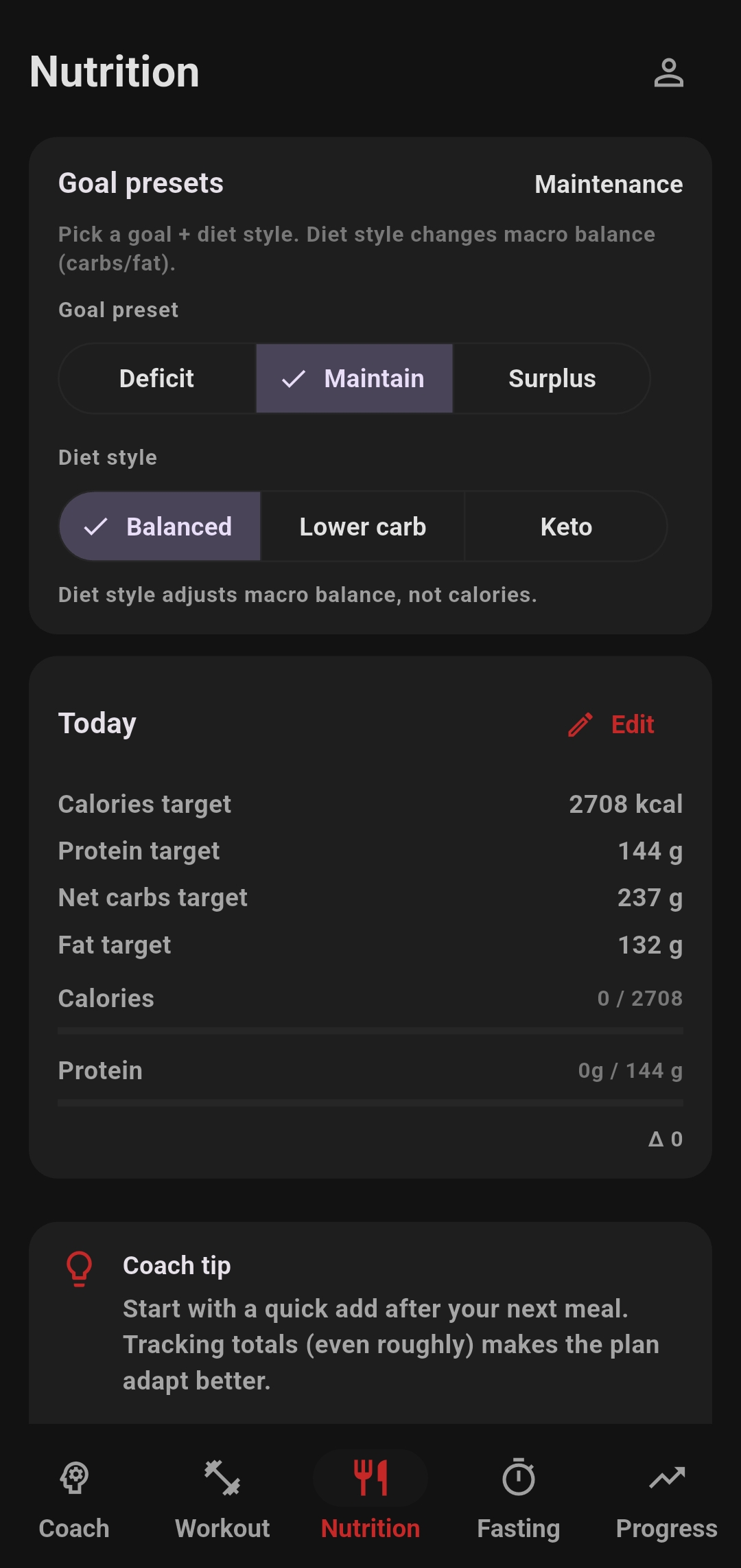
Every logged food shows live progress against your daily calorie and protein targets. No more guessing whether you've hit your numbers — the answer is one glance away.
How nutrition fits the system
Nutrition supports your body composition goals and recovery. Corely treats it as part of the same system as training and fasting — not as a separate tracker.
Calorie target
Daily calories are framed around your goal, giving you a clear budget to work within while still supporting consistency.
Protein target
Protein is emphasized because it matters for recovery, retention of lean mass, and muscle-building support across different goals.
Carbs and fats
Carbs and fats round out the daily macro picture so the plan feels complete, practical, and flexible enough to follow long term.
Connected decisions
Nutrition does more than record intake. It becomes more valuable when you can see how fueling patterns line up with training and fasting behavior.
What users want explained
Most people don't just want a screenshot. They want to know what the numbers mean and why the app is asking them to log them.
Why calories matter
- They set the overall direction for fat loss, maintenance, or gain
- They make it possible to compare intake to your plan over time
- They make trends easier to interpret on the progress side
Why protein matters
- Supports recovery from training
- Helps maintain lean mass during fat loss phases
- Provides a clear daily anchor that's easy to understand
Why logging matters
- Creates a repeatable habit
- Turns nutrition into data the coach and progress views can actually use
- Helps you connect actions with results instead of guessing
Privacy and data ownership
Every food you scan or log lives in your own app database. Export everything as CSV or JSON anytime, or delete it all from the account settings.
A note on the food database
Barcode lookups use Open Food Facts — a free, community-maintained database with over 3 million products. Coverage is excellent in most regions, but occasionally a less common product won't be found. When that happens you can save it as a custom food and Corely will remember it for next time.